When I first started working in the charging cable supply business back in 2012, USB-A was pretty much the only thing I ever stocked. Every store shelf had those thick, rectangular plugs, every phone box came with one, and most of my customers would just grab whatever USB-A cable they needed without asking too many questions. Fast forward a decade later, and now when a customer walks into our warehouse or sends an inquiry, half the time they’re asking for USB-C, and the other half is confused about why there’s a difference. Last month alone, we had three small business owners call us, frustrated because they bought USB-C cables for their stock only to find their older registers wouldn’t work with them. That’s when I realized how many people still don’t get the real differences between USB-A and USB-C charging cables—beyond just the shape of the plug. Charging Cables
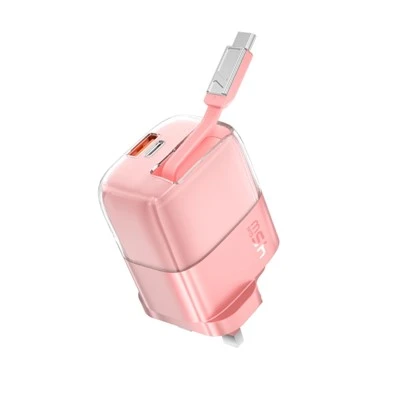
Let’s start with the basics. USB-A, the original USB standard that hit the market in the late 90s, is what most people know as the “flat, rectangular” plug with one flat side and one slightly rounded side. It’s been around so long that it’s in everything: old laptops, desktop computers, wall chargers, even car chargers made before 2018. USB-C, on the other hand, is the new kid on the block—it’s a small, oval-shaped plug that’s symmetrical, meaning you can plug it in either way, right side up or upside down, no fumbling required. That’s the part most people notice first, but there’s way more to it than looks, especially when it comes to charging speed and compatibility.
When we’re talking about charging, the biggest difference between USB-A and USB-C is how much power they can deliver. For years, USB-A cables maxed out at around 2.5 watts for slow charging, and up to 15 watts for faster phone charging. That’s why when you plug an old iPhone 5 or a Samsung Galaxy S3 into a USB-A port on a regular wall charger, it takes almost two hours to fully charge. USB-C changed that. With the right cable and charger, USB-C can deliver up to 100 watts of power—that’s enough to charge a laptop, a tablet, a wireless headphones case, and even a portable power station. We’ve had customers who are content creators tell us that using a high-quality USB-C cable lets them charge their 16-inch laptop while editing videos on the go, something they could never do with an old USB-A cable. That’s not to say USB-A is useless for charging, though. It still works great for slower devices like wireless mice, old Bluetooth speakers, or backup batteries that only need a trickle charge.
Another big point is data transfer speed, which ties into charging but matters a lot for people who move files around. USB-A has a few different data standards, but the most common ones are USB 2.0 (which tops out at 480 Mbps) and USB 3.0 (up to 5 Gbps). I remember when USB 3.0 came out; it was a game-changer for moving large photo files from a camera to a computer, but even then, it was slow compared to what we have now. USB-C, especially when paired with USB 3.1, 3.2, or USB4, can hit speeds up to 80 Gbps. A photographer we supply to told us they can now transfer a full set of RAW photos from their SD card to their laptop in 10 seconds, whereas with their old USB-A cable, it would take over two minutes. That speed isn’t just for files, either—some newer phones can transfer 4K video to a monitor directly via USB-C, something USB-A can’t handle without an adapter.
But here’s where a lot of people get tripped up: not all USB-C cables are the same, and not all USB-A cables are equal either. When we sell cables, we make sure our customers know this, because we don’t want them coming back and saying “this USB-C cable doesn’t charge my phone fast.” A cheap USB-C cable that only supports USB 2.0 might charge your phone, but it’ll be no faster than a regular USB-A cable, and it might not handle higher power levels at all. The same goes for USB-A: a cheap USB-A cable might fray after a few months, or not deliver enough power to charge a newer phone, even if it fits the port. Last year, we had a customer who bought bulk USB-A cables from a no-name supplier; half of them stopped working after three months because the internal wiring was thin and couldn’t handle the current. That’s why we always emphasize the build quality, and the certification—USB-IF certification, which tests cables to make sure they meet power and speed standards.
Compatibility is another messy part. USB-A ports are still everywhere, but most new devices (like iPhones after the 15 series, Android phones from 2020 onwards, tablets, and most new laptops) use USB-C ports now. That means if you have a new phone, you’ll need a USB-C cable to charge it, but if you also have an old power bank that only has a USB-A port, you can still use a USB-C to USB-A cable to connect them. It’s a common mix-up: people buy a USB-C cable and think it will work with all their old devices, but it won’t, unless they have an adapter. We stock both standard USB-C to USB-C cables and USB-C to USB-A adapters specifically for that reason—our customers need to connect new devices to old chargers all the time.
Durability is something I’ve seen customers care about a lot, too. USB-A plugs have a more rigid shape, but the ports on old devices can wear out over time, because you’re always flipping the plug to get it right. USB-C’s symmetrical design means less friction when plugging in, and most modern USB-C cables have reinforced stress points where the plug meets the cable, which makes them less likely to fray. That said, not all USB-C cables are built the same—we only carry cables with braided jackets or reinforced rubber tips, because we’ve seen what happens to cheap, flimsy cables: they get tossed in a drawer after a month, which means our customers have to come back and buy more. We did a trial a while back where we tested different cable brands; our braided USB-C cables lasted over 10,000 plug/unplug cycles, while a budget USB-C cable lasted only 1,500. That’s a huge difference for someone who uses a charging cable every day for work or travel.
Price is another factor, and it’s one that a lot of people overlook. In the early days, USB-C cables were way more expensive than USB-A, but now the gap has narrowed a lot. A good quality USB-C cable costs about the same as a reliable USB-A cable, maybe a dollar or two more. But if you go for the super cheap, unbranded cables, you might end up paying more in the long run—they break faster, and some even pose a fire risk because they don’t have overcurrent protection. That’s why as a supplier, we always push for quality over cheap prices; we’d rather have a customer buy one durable cable from us that lasts a year than a dozen cheap ones that break in two months.
I’ve had countless conversations with customers who are switching from USB-A to USB-C for the first time, and the most common question is: “Do I need to replace all my charging cables?” The answer is no, not all of them. You can keep your old USB-A cables for devices that don’t have USB-C ports, and use USB-C cables for your new devices. The key is to know what you’re using them for: if you just need to charge your phone, a basic USB-C cable will work, but if you want to charge your laptop or transfer large files, you’ll need a higher-power, certified USB-C cable.
One recent example that stuck with me was a small café owner who came to us because their new point-of-sale system only had USB-C ports, and they had a whole stock of USB-A cables they’d bought for their old registers. They were worried they’d have to throw all that stock away, but we suggested USB-C to USB-A adapters, so they could keep their existing USB-A cables and still use the new POS system. That’s the kind of practical solution we try to provide as a supplier—not just sell cables, but help our customers understand what they actually need.
Looking ahead, I don’t think USB-A is going away anytime soon. There are still millions of devices with USB-A ports, and a lot of chargers still have both USB-A and USB-C ports. But the trend is definitely towards USB-C—it’s smaller, more versatile, and it supports newer technology. That said, there will always be a place for USB-A, especially for older devices and for people who just need a simple, reliable charging cable for basic use.
At the end of the day, the difference between USB-A and USB-C charging cables isn’t just the shape of the plug. It’s about power, speed, durability, compatibility, and how well they fit your specific devices and needs. Whether you’re a consumer buying a cable for your phone, or a business owner sourcing bulk cables for your store, it’s important to understand those differences so you don’t end up with a cable that doesn’t work for you. If you’re not sure which cable is right for your devices or your business, we’re here to help—we’ve worked with all kinds of customers, from individual buyers to large retail chains, and we can guide you to the right products. Feel free to reach out to our team to discuss your charging cable needs; we’ll make sure you get exactly what you need, without the confusion.
Portable Fans References
USB Implementers Forum. USB Type-C Specification 2.1.
USB Implementers Forum. USB Power Delivery Specification 3.2.
USB 3.2 Specification Overview. USB.org.
Consumer Reports. "Charging Cable Safety: What You Need to Know." 2023.
PCMag. "USB-C vs. USB-A: What’s the Difference?" 2024.
Shenzhen Xierun Electronics Co., Ltd.
Shenzhen Xierun Electronics Co., Ltd. is one of the most professional charging cables manufacturers and suppliers in China. With abundant experience, we warmly welcome you to wholesale the newest charging cables made in China here from our factory. We also accept customized orders.
Address: Room 1303-1305, 13th Floor, Yunhua Times, Shajing Street, Baoan District, Shenzhen, Guangdong Province, China
E-mail: Lucas@xyelectronic.com
WebSite: https://www.xierunelec.com/
